martedì 28 giugno 2016
lesson 2 - C-Strap Samples Responsive Design One Page Websites - publication of ftp #bootstrap #jquery
Creare un nuovo progetto e selezionare il template (vedi lezione 1). Create a new project and select the template (see lesson 1)
Aggiungere un componente ad una pagina nel progetto attivo.
Add a component to a page in the active project
Click sul componente
Click on the component
Doppio Click sul componente nello schema manager per modificare le proprietà.
Double Click on the component in the scheme managers to change properties
Modificare per esempio il colore di fondo.
For example to change the background color.
Aggiungere il componente video.
Add your video component.
Doppio Click sul componente nello schema manager per modificare le proprietà.
Double Click on the component in the scheme managers to change properties.
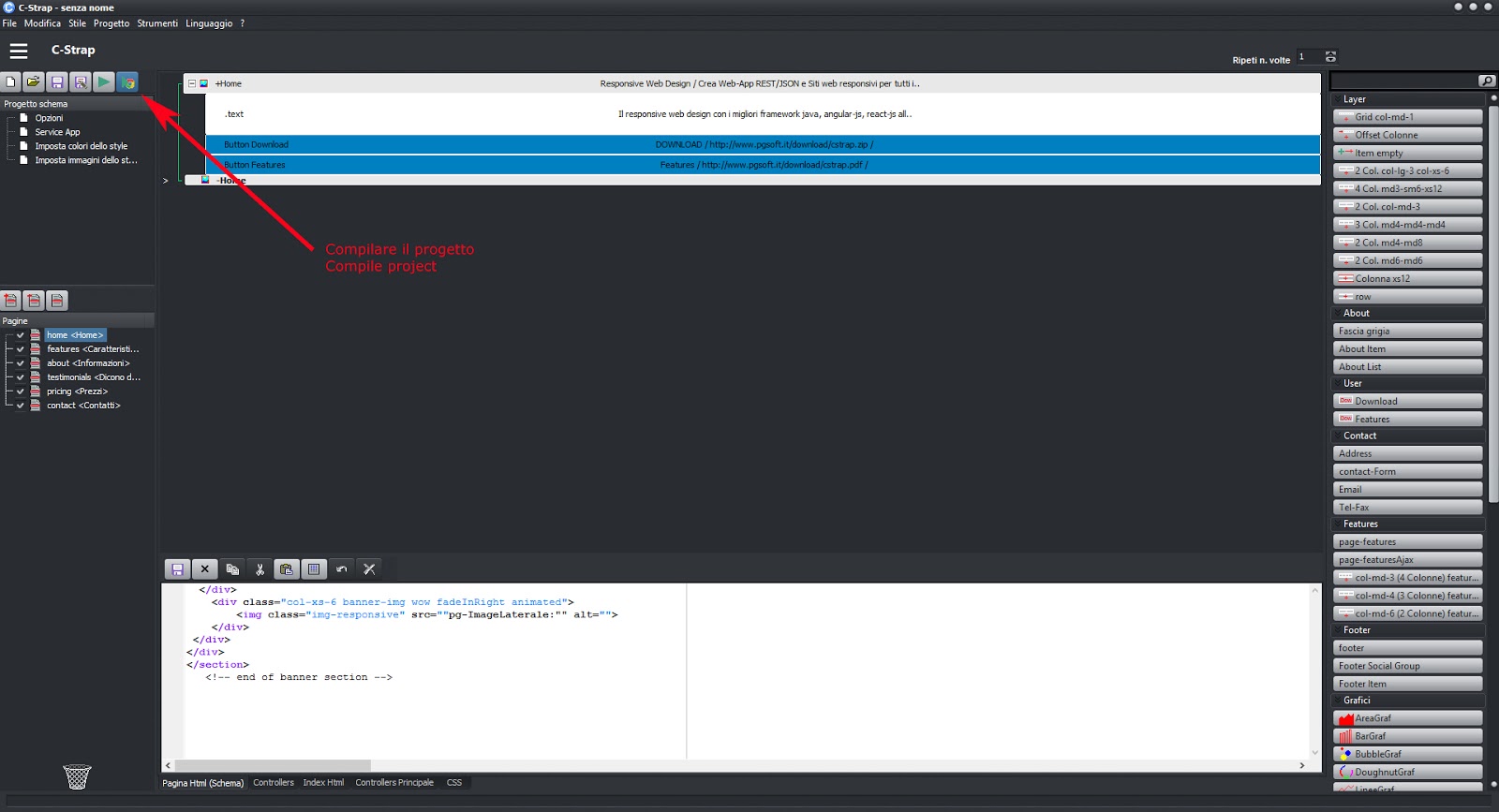
Compilare il progetto
Compile the project
Anteprima
Preview
Spostare la sezione + video in altra pagina.
Move the section + video in another page.
Selezionare la pagina di destinazione e incollare.
Select your landing page and paste.
Compilare il progetto
Compile the project
Anteprima
Preview
Pubblicare il sito sul web
Publish site on the web
Il risultato
The result
Follow the next lessons
lunedì 27 giugno 2016
lesson 1 - C -Strap 1.456 Beta version work in progress - Visual Bootstrap+JQuery+AngularJs+ReactJS
Seleziona la lingua
select the language
Pagina iniziale - seleziona il template
Home - select the template
Seleziona la cartella del progetto
Select the project folder
Compila il progetto
Compile the project
Conferma
Confirm
Anteprima
Preview
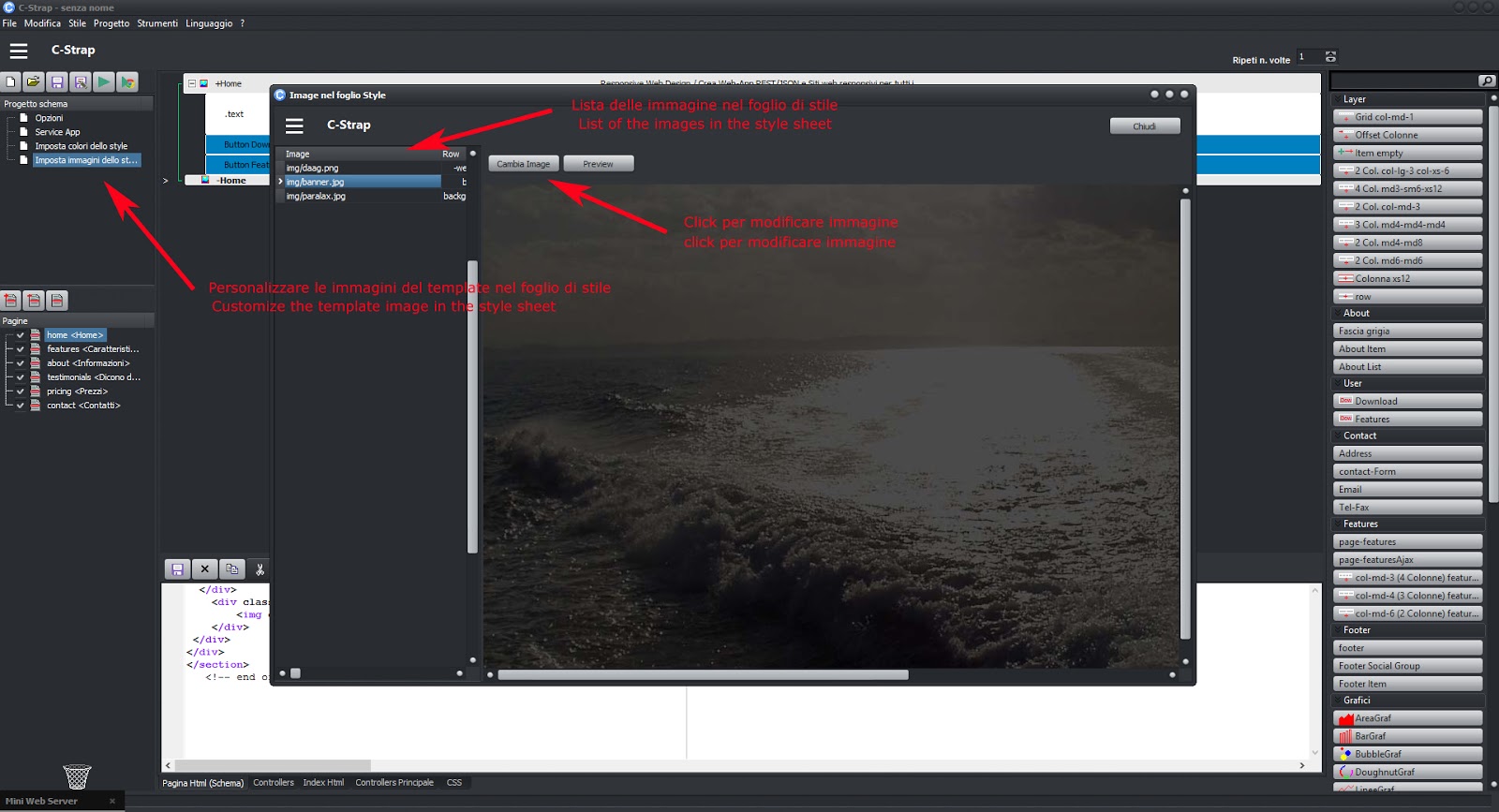
Modificare/personalizzare le immagini del foglio style
Modify / customize the images of the style sheet
Anteprima
Preview
Modificare/personalizzare i colori degli elementi del foglio style
Modify / customize the colors of the elements of the style sheet
Anteprima
Preview
Codice ottimizzato
optimized code
Segui le prossime lezioni
Follow the next lessons
sabato 25 giugno 2016
C -Strap 1.456 Beta version work in progress - Visual Bootstrap+JQuery+AngularJs+ReactJS
Avvio con selezione del template di lavoro
Start with a selection of work template
Selezionare la cartella di destinazione e le opzioni del progetto
Select the destination folder and the project options
Accettare i termini d'uso del template
Accept the terms of use of the template
Lo schema manager
The scheme manager
Compilare il progetto
Compile the project
Opzioni di compilazione
compilation options
Anteprima del progetto tramite WEBSERVER interno
Preview of the project through internal WEBSERVER
Personalizzare, aggiungere o togliere pagine al progetto; l'editor di proprietà.
Customize , add or remove pages to the project ; the property editor.
Aggiungere un componente.
Add a component.
A presto per la versione RC1 scaricabile
Giuliano Pagnini
Iscriviti a:
Post (Atom)